
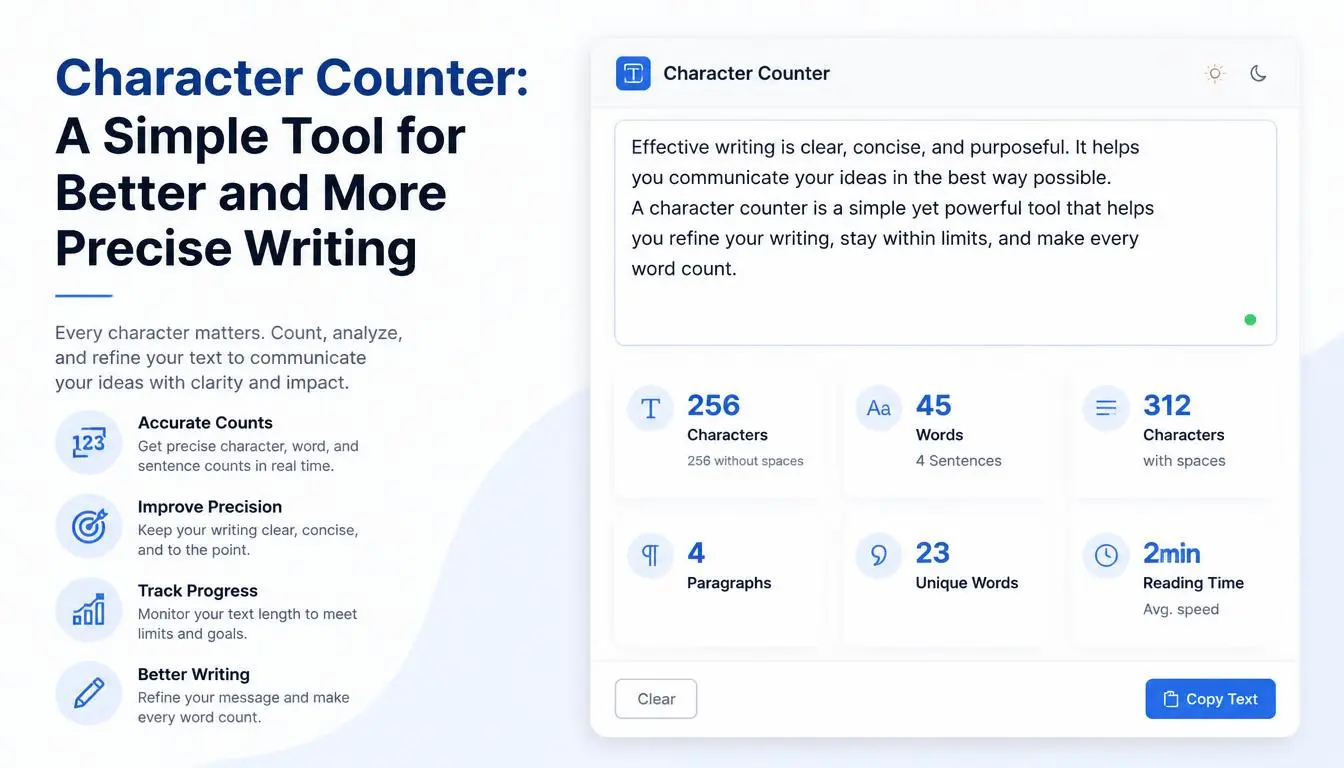
Character Counter: A Simple Tool for Better and More Precise Writing
Sometimes, writing isn't about how many words you use. It's about how many characters those words contain.
This becomes especially important when you're working with social media posts, website titles, meta descriptions, advertisements, forms, usernames, messages, and other types of content that may have character limits.
You may have written what feels like a short sentence, only to discover that it doesn't fit into the field you're working with. Instead of repeatedly deleting words and guessing whether the text is short enough, a Character Counter gives you the answer immediately.
A Character Counter is a simple online writing tool that counts the characters in your text. Depending on the tool, it may also show the number of characters including spaces and excluding spaces, along with the total word count.
For writers, students, marketers, developers, freelancers, and everyday internet users, this small utility can make working with text much easier.
## What Is a Character Counter?
A Character Counter is an online tool that calculates the number of characters contained in a piece of text.
Characters can include:
- Letters
- Numbers
- Spaces
- Punctuation marks
- Symbols
For example, if you write:
"Hello, world!"
the tool can analyze the text and tell you how many individual characters it contains.
This is different from a Word Counter.
A Word Counter tells you how many words you've written, while a Character Counter focuses on the individual characters within your text.
That difference can be surprisingly useful.
## Why Character Count Matters
Many online platforms place limits on the amount of text you can enter.
A website form may allow only a certain number of characters.
A social media platform may have a maximum post length.
An advertising platform may restrict headline or description length.
A search engine optimization workflow may involve checking the length of titles and descriptions.
Even a simple registration form can sometimes limit usernames, descriptions, or other fields.
When you know the exact character count, you can adjust your text confidently instead of guessing.
## Character Counter for Social Media
Social media writers often need to communicate an idea in a limited amount of space.
Whether you're creating a short announcement, promotional message, caption, or post, every character can matter.
Imagine you've created a carefully written promotional message, but the platform doesn't accept it because the text is too long.
You now have to shorten it without losing the main idea.
A Character Counter makes this process easier.
You can write naturally first and then check the length.
If the text is too long, remove unnecessary words, shorten phrases, or rewrite the sentence.
This is often much easier than trying to count characters manually.
## Character Counter for SEO
Character counting is also useful for SEO work.
SEO professionals and website owners frequently create:
- Page titles
- Meta descriptions
- Social sharing descriptions
- Image alt text
- Short snippets
- Search-friendly headlines
Although there is no single character limit that guarantees better search performance in every situation, keeping titles and descriptions concise can help prevent important text from being unnecessarily long.
A Character Counter can help you review the length before publishing.
For example, instead of repeatedly estimating whether a title is too long, you can paste it into the tool and check its character count immediately.
## Character Counter for Meta Descriptions
Meta descriptions are short pieces of text that help describe a webpage.
They can influence how a page is presented in search results, although search engines may rewrite them depending on the query and other factors.
Because search-result snippets have limited visible space, concise descriptions are often useful.
A Character Counter can help SEO writers create descriptions that are neither unnecessarily short nor excessively long.
For example, you might create several versions:
Version A: 120 characters
Version B: 155 characters
Version C: 190 characters
You can compare the options and decide which one communicates the page's value most effectively.
The goal should not be hitting a magical number.
The goal is to make the description clear, useful, and relevant.
## Character Counter for Headlines
Headlines need to communicate a lot in very little space.
This is especially true for:
- Blog titles
- News headlines
- Email subject lines
- Landing-page headlines
- Advertisement titles
- Social media headlines
A Character Counter lets you see exactly how long your headline is.
For example:
"How to Write Better Blog Posts"
You can check its character count and compare it with alternative headlines.
This can be useful when you're testing different versions of a title.
## Character Counter for Email Subject Lines
Email subject lines are another area where concise writing matters.
A long subject line may be difficult to read, particularly on smaller screens.
A writer can use a Character Counter to compare different subject lines before sending an email campaign.
For example:
"New Content Writing Tips for Your Business"
could be compared with:
"10 New Writing Tips for Your Business"
The shorter version may communicate the same basic idea more efficiently.
Character counting doesn't tell you which subject line will perform best, but it gives you useful information about length.
## Character Counter for Students
Students can also benefit from character-counting tools.
Some applications, scholarship forms, university submissions, and online systems impose character limits.
For example, an application might say:
"Please describe your goals in no more than 1,000 characters."
Writing without checking the count can be frustrating.
You may finish your response and discover that it contains 1,300 characters.
Instead of manually counting every letter, you can use a Character Counter to check the exact length.
This makes it easier to edit the response while keeping the main message intact.
## Character Counter for Job Applications
Job seekers frequently encounter text fields with character restrictions.
Applications may ask applicants to provide:
- Short professional summaries
- Career goals
- Skills
- Reasons for applying
- Additional information
When these fields have strict limits, a Character Counter becomes particularly useful.
You can write your response normally and then reduce it until it fits the required space.
This allows you to focus on communicating your qualifications instead of worrying about counting individual characters.
## Character Counter for Freelancers
Freelancers use short-form text in many situations.
They may need to create:
- Freelance proposals
- Profile descriptions
- Service descriptions
- Portfolio summaries
- Social media bios
- Client messages
Some platforms have limits on these fields.
A Character Counter can help freelancers make sure their descriptions fit within those limits.
It can also help them create concise service descriptions that communicate their value without unnecessary wording.
## Character Counter for Digital Marketers
Digital marketing often requires concise communication.
Advertising platforms may have specific text requirements for:
- Headlines
- Descriptions
- Call-to-action messages
- Promotional copy
A marketer can use a Character Counter during the writing process to ensure that copy fits the available space.
This can make creating multiple advertisement variations much faster.
For example, instead of writing one version and repeatedly deleting words, a marketer can prepare several alternatives and compare their lengths.
## Character Count With Spaces vs. Without Spaces
One important detail is that character-counting methods can differ.
Some tools count spaces as characters.
Others may provide separate totals for:
- Characters including spaces
- Characters excluding spaces
- Words
- Lines
This distinction matters when a platform provides a specific character requirement.
For example, if a form says your answer must be under 500 characters, you should understand whether spaces are included.
When possible, use a counting method that matches the requirements of the platform you're submitting to.
## Character Counter for Developers
Character counting isn't limited to writers.
Developers may also need to check string lengths when working with software applications.
For example, an application might restrict:
- Username length
- Database fields
- Input boxes
- API parameters
- Password fields
- Form submissions
A quick character-counting tool can help during testing and content preparation.
For programming work, however, developers should also use the appropriate programming language or development environment when exact technical validation is required.
## Character Counter for SMS and Messages
Short messaging is another useful application.
When preparing an SMS, notification, alert, or automated message, the number of characters can affect how the message is delivered or displayed.
A Character Counter helps you see the length before sending or publishing.
This can be especially useful for businesses that create customer notifications, promotional messages, or automated alerts.
## Character Counter for Content Editing
Character counting can also improve editing.
Suppose you have written a sentence that is technically correct but too long for a particular field.
Instead of randomly removing words, you can carefully rewrite it.
For example:
"We are pleased to announce that our company has recently introduced a new range of affordable writing tools designed to help users create and manage content more efficiently."
This could be shortened to:
"Our new writing tools help users create and manage content more efficiently."
The second version communicates the core idea with fewer characters.
This is the kind of editing that character limits often encourage.
## Character Count and Readability
Shorter text isn't automatically better.
If you remove too many words, your message may become unclear.
The best approach is to balance:
- Length
- Clarity
- Meaning
- Tone
- Readability
A Character Counter tells you how long your text is.
It doesn't decide whether the text is good.
That decision still requires human judgment.
## How to Use a Character Counter
Using a Character Counter is simple.
### Step 1: Write Your Text
Prepare your headline, description, message, application response, or other content.
### Step 2: Copy the Text
Select the content you want to analyze.
### Step 3: Paste It Into the Character Counter
Place your text into the tool.
### Step 4: Review the Results
Check the number of characters and, if available, the word count.
### Step 5: Edit Your Text
If the content exceeds the required limit, shorten it.
### Step 6: Check Again
Continue editing until the text fits your requirements.
The process takes only a few seconds.
## Don't Focus Only on the Number
It's easy to become obsessed with character limits.
However, the number itself isn't the goal.
Communication is the goal.
For example, removing an important word just to reduce your character count could make a sentence confusing.
Instead, look for more effective ways to express the same idea.
Replace long phrases with shorter alternatives.
Remove repetition.
Use direct language.
Combine related ideas.
This approach can make your writing both shorter and stronger.
## Character Counter vs. Word Counter
Although these tools are related, they serve different purposes.
A Word Counter answers:
"How many words have I written?"
A Character Counter answers:
"How many characters are in my text?"
For a 1,500-word article, word count is usually more important.
For a short advertisement with a strict text limit, character count may be more useful.
In many situations, using both measurements together gives you a better understanding of your content.
## Who Can Benefit From a Character Counter?
Almost anyone who works with text can find a use for it.
### Writers
For headlines, short descriptions, and content editing.
### Students
For applications and assignments with character limits.
### Bloggers
For titles, snippets, and promotional text.
### SEO Professionals
For reviewing titles and descriptions.
### Marketers
For advertisements and campaign copy.
### Freelancers
For profile and proposal limits.
### Developers
For checking string length and sample inputs.
### Job Seekers
For application fields and professional summaries.
### Social Media Managers
For concise posts and captions.
## Frequently Asked Questions
### What is a Character Counter?
A Character Counter is an online tool that calculates the number of characters contained in a piece of text.
### Does a Character Counter include spaces?
That depends on the tool. Some provide character counts with spaces and without spaces separately.
### Is character count the same as word count?
No. A word count measures words, while a character count measures individual characters.
### Can I use a Character Counter for SEO?
Yes. It can be useful when creating and reviewing page titles, meta descriptions, headlines, and other short SEO-related text.
### Can students use a Character Counter?
Yes. It is useful for scholarship applications, university forms, personal statements, and other submissions with character limits.
### Can freelancers use it?
Yes. Freelancers can use it for proposals, profile descriptions, service descriptions, and other platform fields with text restrictions.
## Final Thoughts
Writing within a character limit can be surprisingly challenging.
You may know exactly what you want to say, but finding a way to communicate that idea within a limited amount of space requires careful editing.
A Character Counter makes the technical side of that process much easier.
Instead of guessing, you can instantly see how long your text is.
Whether you're preparing a social media post, SEO title, meta description, advertisement, job application, email subject line, or short professional bio, knowing the exact character count gives you greater control over your writing.
But remember: the goal isn't simply to produce the shortest possible text.
The goal is to communicate your message clearly while respecting the required limit.
Write naturally.
Edit thoughtfully.
Remove unnecessary words.
Keep the important information.
Then use a Character Counter to make sure your final version fits.
Sometimes a few carefully chosen words can communicate more than a long paragraph ever could.