
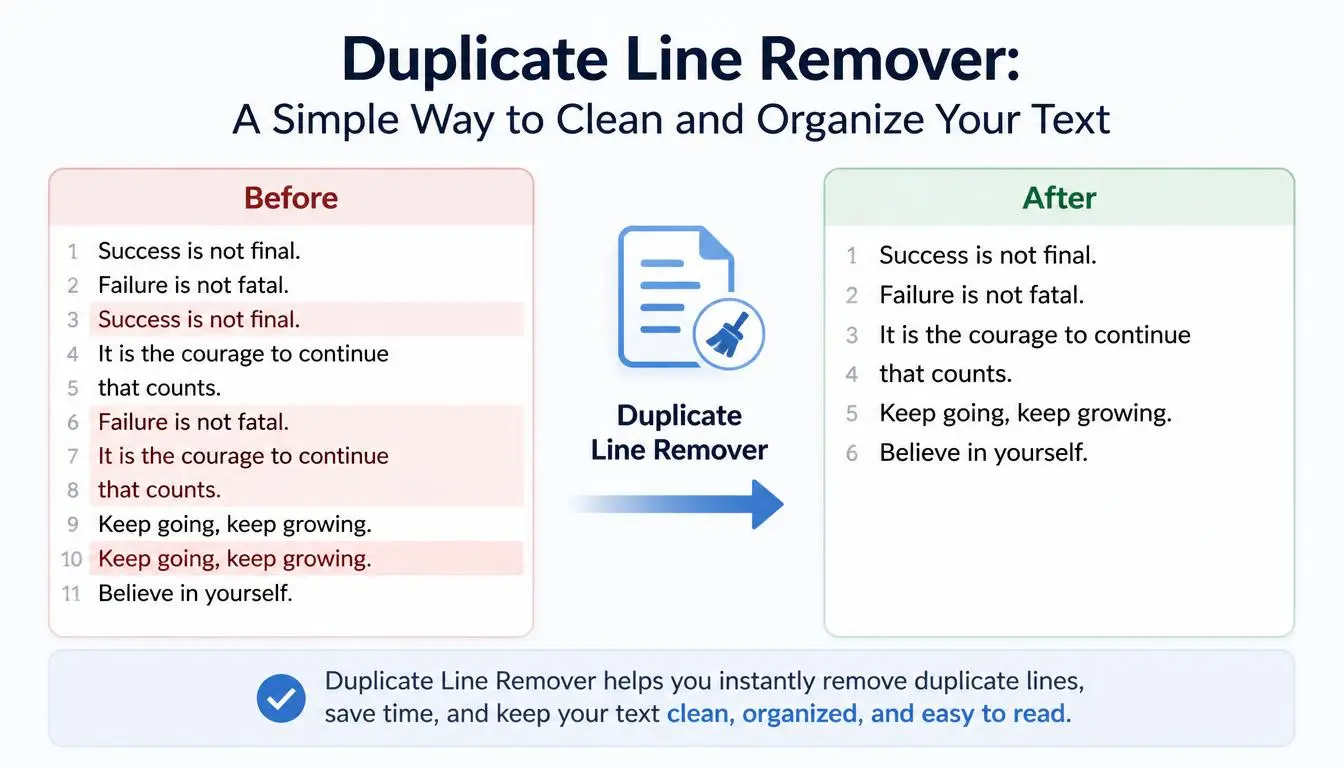
# Duplicate Line Remover: A Simple Way to Clean and Organize Your Text
Working with text often means copying information from different places. You might combine notes from several documents, collect data from websites, prepare a list for a project, or paste information into a spreadsheet.
And then you notice something annoying: the same line appears more than once.
Sometimes duplicates are easy to spot. Other times, especially when you're dealing with hundreds or thousands of lines, finding them manually can take a lot of time.
This is where a Duplicate Line Remover becomes incredibly useful.
A Duplicate Line Remover is a simple text-cleaning tool that helps identify and remove repeated lines from a block of text. Instead of scanning every line yourself, you can let the tool handle the repetitive part and then review the cleaned result.
For students, researchers, developers, content creators, marketers, freelancers, and anyone who regularly works with lists or text data, it can save time and make information much easier to manage.
## What Is a Duplicate Line Remover?
A Duplicate Line Remover is an online tool designed to find repeated lines in text and remove unnecessary duplicates.
For example, imagine you have this list:
Apple
Banana
Orange
Apple
Mango
Banana
Grapes
After removing duplicate lines, the result may become:
Apple
Banana
Orange
Mango
Grapes
The information is cleaner, easier to read, and easier to work with.
Instead of manually comparing each line, the tool can process the text quickly.
## Why Do Duplicate Lines Appear?
Duplicate information can appear for many reasons.
You may copy the same list more than once.
You may combine information from several sources.
A spreadsheet export may contain repeated entries.
A website crawler may collect the same URL multiple times.
A content workflow may accidentally duplicate headings or keywords.
Even a simple copy-and-paste mistake can create duplicates.
The problem becomes much more noticeable when the text contains hundreds or thousands of lines.
That's when manual cleanup becomes frustrating.
## Duplicate Line Remover for Students
Students often collect information from multiple sources while working on assignments and research projects.
Imagine you're creating a list of references, keywords, topics, or research notes.
You copy information from several documents and combine everything into one file.
Some items may appear multiple times.
Instead of checking every line individually, a Duplicate Line Remover can help you identify repeated entries.
This can be especially useful for:
- Research notes
- Study lists
- Topic lists
- Vocabulary lists
- References
- Survey data
- Assignment preparation
The tool doesn't replace careful research, but it can make basic text organization much faster.
## Duplicate Line Remover for Developers
Developers frequently work with lists of data.
For example, you might have a text file containing:
- URLs
- Email addresses
- Product IDs
- File names
- User IDs
- Keywords
- API endpoints
- Test values
If the same value appears repeatedly, cleaning the list manually can be tedious.
A Duplicate Line Remover can quickly reduce a list to unique lines.
For example:
example.com/page1
example.com/page2
example.com/page1
example.com/page3
can become:
example.com/page1
example.com/page2
example.com/page3
This can be useful during simple data preparation and testing.
For sensitive or production data, however, you should always use appropriate secure tools and follow your organization's data-handling policies.
## Duplicate Line Remover for SEO
SEO professionals often work with keyword lists and URLs.
Imagine collecting hundreds of keyword ideas from different sources.
You might end up with:
best writing tool
free writing tool
best writing tool
online writing tool
free writing tool
AI writing tool
Before organizing the final keyword list, duplicate removal can make the data much easier to review.
Instead of repeatedly looking at the same phrase, you can work with a cleaner list.
This can make keyword research and content planning more organized.
However, duplicate removal should not be confused with keyword strategy. Two similar keywords may have different search intent, so SEO professionals should review similar phrases rather than automatically deleting everything that looks related.
## Duplicate Line Remover for Bloggers
Bloggers sometimes maintain large lists of:
- Article ideas
- Keywords
- URLs
- Headlines
- Topics
- Content ideas
- Sources
Over time, repeated entries can accumulate.
For example, you may have written the same article idea months apart and forgotten that it already exists in your content planner.
Running your list through a duplicate remover can help you identify repeated entries and keep your planning document cleaner.
A cleaner content list makes it easier to see which ideas are genuinely new.
## Duplicate Line Remover for Freelancers
Freelancers often work with data supplied by clients.
A client might provide a large list of product names, website URLs, search terms, or other information.
Before processing the data, it's useful to know whether duplicate entries exist.
A Duplicate Line Remover can help with that initial cleanup.
This is particularly helpful when the data is simple, line-based text.
Instead of spending valuable billable time manually checking every entry, you can automate the repetitive part and focus on the actual project.
## Duplicate Line Remover for Email Lists
People sometimes create lists of email addresses from different sources.
If those lists are combined, the same email address may appear multiple times.
For example:
alex@example.com
maria@example.com
alex@example.com
john@example.com
Removing duplicates produces:
alex@example.com
maria@example.com
john@example.com
This can make the list easier to review.
However, email marketing platforms and customer databases often have their own validation and deduplication systems. A simple text tool should not be treated as a complete solution for managing customer data.
## Duplicate Line Remover for URL Lists
Website owners and SEO professionals frequently work with URL lists.
URLs may be collected from:
- Sitemaps
- Crawlers
- Spreadsheets
- Website exports
- Research tools
- Internal content databases
When combining several lists, duplicates are common.
For example:
https://example.com/about
https://example.com/blog
https://example.com/about
https://example.com/contact
A duplicate remover can produce a unique list.
This makes subsequent analysis much easier.
## Duplicate Line Remover for Content Research
Research often involves collecting information from multiple places.
You might create a list of:
- Sources
- Articles
- Books
- Websites
- Research topics
- Questions
- Keywords
As the list grows, repeated entries become more likely.
Removing duplicates can help you see the actual number of unique items you have collected.
This can also prevent you from accidentally spending time researching the same source or topic twice.
## Duplicate Lines vs. Similar Lines
There is an important difference between duplicate and similar text.
Consider these two lines:
"Best free writing tools"
"Best free online writing tools"
They are similar, but they are not identical.
A basic Duplicate Line Remover may treat them as different because the text isn't exactly the same.
That's often a good thing.
Two similar lines can have different meanings or purposes.
If you're cleaning important data, don't automatically delete similar lines simply because they look related.
Always consider the context.
## Exact Duplicate Removal
Most basic duplicate removal focuses on exact matches.
For example:
"Apple"
"Apple"
is an exact duplicate.
The tool can identify the repeated line and keep one version.
This approach is predictable and useful for many simple text-cleaning tasks.
If you need advanced matching—such as identifying spelling variations, similar phrases, or duplicate records with different formatting—you may need a more advanced data-processing system.
## Case Sensitivity and Duplicates
Capitalization can sometimes affect duplicate detection.
Consider:
Apple
APPLE
apple
Depending on the tool's settings, these may be treated as different lines or as duplicates.
This is why it's important to understand how your duplicate-removal tool handles capitalization.
If you're working with a list where capitalization doesn't matter, you may want to standardize the case first using a Case Converter and then remove duplicates.
That combination can make text cleanup even more effective.
## Removing Blank Lines
Text lists can also contain empty lines.
For example:
Apple
Banana
Orange
Depending on your workflow, those blank lines may be unnecessary.
A text-cleaning process can often involve both:
- Removing duplicate lines
- Removing unnecessary blank lines
This creates a more compact and organized result.
## Duplicate Line Remover for Spreadsheet Preparation
Sometimes you receive data in plain text and need to move it into a spreadsheet.
If the text contains repeated entries, cleaning it before importing can make the spreadsheet easier to manage.
For example, a product list might contain duplicate product names.
You can remove repeated lines first and then paste the cleaned list into your spreadsheet.
For complex spreadsheet work, spreadsheet software usually provides more advanced duplicate-removal features. But for quick text lists, an online tool can be much faster.
## How to Use a Duplicate Line Remover
Using a Duplicate Line Remover is usually very simple.
### Step 1: Prepare Your List
Collect the text you want to clean.
### Step 2: Copy the Text
Select the lines you want to check.
### Step 3: Paste Them Into the Tool
Place the text into the Duplicate Line Remover.
### Step 4: Remove Duplicate Lines
Use the tool's duplicate-removal function.
### Step 5: Review the Result
Check that important information hasn't been removed accidentally.
### Step 6: Copy the Cleaned Text
Once you're satisfied, copy the unique lines and paste them into your document, spreadsheet, or other workflow.
The entire process can take only a few seconds.
## Why Manual Duplicate Removal Takes So Long
If you have only five or ten lines, finding duplicates isn't difficult.
But imagine having 2,000 lines.
You would need to compare information repeatedly, keep track of what you've already seen, and make sure you don't accidentally delete something important.
That process is slow and mentally tiring.
Automation is useful here because duplicate detection is a repetitive task that computers can perform quickly.
You can then spend your time reviewing the result rather than searching for every repeated line manually.
## Duplicate Line Remover and Data Organization
Clean data is easier to understand.
When a list contains unnecessary duplicates, it can become difficult to determine how many unique items actually exist.
Removing duplicates gives you a clearer view.
For example, a list with 500 lines may initially sound impressive.
But if 150 of those lines are duplicates, you actually have only 350 unique entries.
Knowing the difference can be important when planning research, content, products, or other projects.
## Benefits of Using a Duplicate Line Remover
A Duplicate Line Remover can provide several practical benefits.
### Saves Time
Large lists can be cleaned quickly.
### Reduces Repetitive Work
You don't need to manually compare every line.
### Improves Organization
Unique lines are easier to review and manage.
### Helps With Data Preparation
Clean lists are easier to move into spreadsheets and other systems.
### Useful for Content Research
Repeated topics and keywords can be identified more easily.
### Simple for Beginners
No technical knowledge is usually required.
## Who Should Use a Duplicate Line Remover?
The tool can be useful for:
- Students
- Researchers
- Bloggers
- SEO professionals
- Freelance writers
- Developers
- Marketers
- Website owners
- Data analysts
- Content creators
Anyone who works with large line-by-line lists can potentially benefit from it.
## Frequently Asked Questions
### What does a Duplicate Line Remover do?
It identifies repeated lines in a block of text and removes unnecessary duplicates.
### Can it remove duplicate URLs?
Yes. If each URL is placed on its own line, duplicate URL entries can be removed.
### Can I use it for keyword lists?
Yes. It can help remove exact duplicate keywords from a list.
### Does it remove similar lines?
That depends on the tool. Basic duplicate removal usually focuses on exact duplicates rather than lines that are merely similar.
### Can I use it for email addresses?
Yes, for simple lists where each email address is on its own line. For business or customer databases, use appropriate dedicated data-management tools as well.
### Should I review the result after removing duplicates?
Yes. Always review important data after automated processing to make sure nothing valuable was removed unintentionally.
## Final Thoughts
Repeated information is one of those small problems that can become surprisingly frustrating.
When you're dealing with a handful of lines, finding duplicates manually is easy. When your list grows to hundreds or thousands of entries, the same task can consume a significant amount of time.
A Duplicate Line Remover provides a simple solution.
Paste your list, remove repeated entries, review the result, and continue with your work.
Whether you're cleaning keyword research, organizing URLs, preparing a list for a spreadsheet, managing research notes, or simply trying to tidy up a document, removing duplicate lines can make your workflow cleaner and more efficient.
The important thing is to remember that automation should assist your judgment, not replace it.
After cleaning your text, take a moment to review the result.
A few seconds of checking can ensure that the final list contains exactly the information you intended to keep.
When repetitive work can be handled automatically, there's little reason to spend your valuable time doing it by hand.