
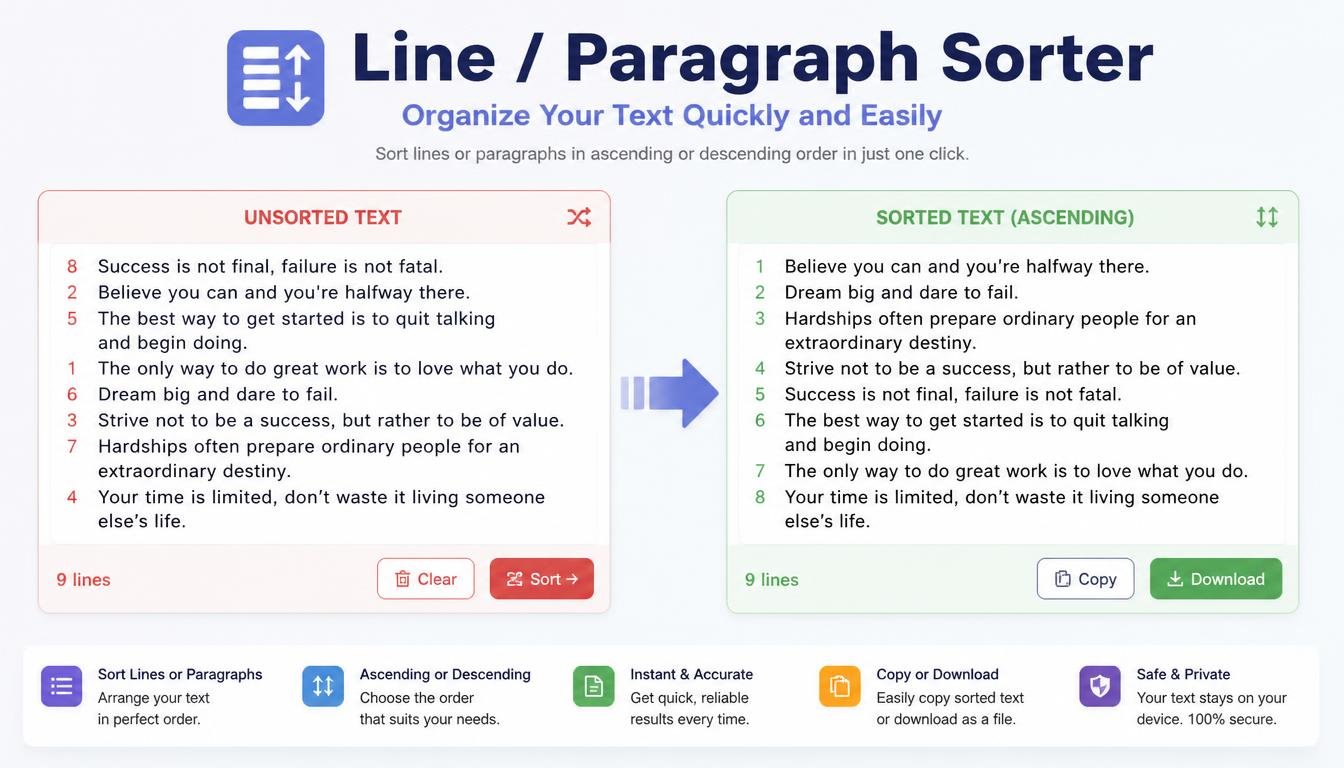
# Line / Paragraph Sorter: Organize Your Text Quickly and Easily
When you're working with a large amount of text, keeping everything organized can become surprisingly difficult.
You may have a long list of keywords, names, URLs, sentences, notes, or paragraphs that need to be arranged in a specific order. Doing this manually can take a lot of time, especially when the list contains hundreds or even thousands of entries.
This is where a Line / Paragraph Sorter can make life easier.
A Line / Paragraph Sorter is a simple online text utility that helps arrange lines or paragraphs according to a chosen sorting method. Instead of manually moving each item into the right position, you can paste your content into the tool and let it organize the text for you.
It may sound like a small task, but anyone who regularly works with text data knows how useful a good sorting tool can be.
## What Is a Line / Paragraph Sorter?
A Line / Paragraph Sorter is a tool designed to organize text into a specific order.
For example, suppose you have this list:
Banana
Apple
Mango
Orange
Grapes
After sorting alphabetically, the result becomes:
Apple
Banana
Grapes
Mango
Orange
The information hasn't changed. Only its order has changed.
This simple transformation can make a list much easier to read, compare, search, and manage.
Depending on the tool, you may be able to sort text alphabetically, reverse alphabetically, numerically, by length, or according to other available options.
## Why Is Text Sorting Useful?
Imagine receiving a list containing 1,000 lines.
Finding a particular item manually can be annoying.
Now imagine that the list isn't organized alphabetically or numerically.
You could spend a considerable amount of time scrolling through it.
Sorting the list creates structure.
An organized list makes it easier to:
- Find information
- Compare entries
- Detect patterns
- Review data
- Identify duplicates
- Prepare content
- Manage large text collections
For simple text organization, automation can save a surprising amount of time.
## Line Sorting vs. Paragraph Sorting
There is an important difference between sorting individual lines and sorting paragraphs.
A line sorter generally treats each line as a separate item.
For example:
Apple
Orange
Banana
Each fruit is one line.
A paragraph sorter may treat each block of text separated by an empty line as an individual paragraph.
For example:
Apple is a popular fruit.
Bananas are naturally sweet.
Oranges are rich in flavor.
Each paragraph can potentially be moved as one complete unit.
Choosing the right mode depends on the structure of your content.
## Alphabetical Sorting
One of the most common sorting options is alphabetical order.
For example:
Zebra
Apple
Mango
Banana
can become:
Apple
Banana
Mango
Zebra
This is useful for lists of:
- Names
- Topics
- Keywords
- Products
- Categories
- Websites
- Cities
- Book titles
Alphabetical sorting provides a predictable structure that most people can understand immediately.
## Reverse Alphabetical Sorting
Sometimes you need the opposite order.
Reverse alphabetical sorting arranges entries from later letters toward earlier letters.
For example:
Apple
Banana
Mango
Orange
could become:
Orange
Mango
Banana
Apple
This can be useful when comparing lists or preparing information according to a particular requirement.
## Numerical Sorting
Text doesn't always contain words.
You may have numbers or lines beginning with numbers.
For example:
25
3
100
10
1
A numerical sorting option can arrange them as:
1
3
10
25
100
This is different from simply sorting the characters alphabetically.
Numerical sorting is useful for:
- Product numbers
- IDs
- Scores
- Quantities
- Prices
- Ranking data
- Numbered lists
When working with numerical data, make sure the tool is actually using numerical sorting rather than ordinary alphabetical sorting.
## Sorting by Text Length
Some text utilities can organize entries according to their length.
For example:
Cat
Elephant
Dog
Butterfly
could be arranged from shortest to longest:
Cat
Dog
Elephant
Butterfly
Sorting by length can be useful for programming exercises, word games, language activities, and certain types of text analysis.
It can also help you quickly identify unusually short or long entries in a dataset.
## Line / Paragraph Sorter for Students
Students often create lists while studying.
These might include:
- Vocabulary words
- Research topics
- References
- Questions
- Notes
- Definitions
- Important terms
As the list grows, keeping everything organized can become difficult.
A sorter can quickly arrange the information alphabetically or according to another available method.
For example, a student studying vocabulary could organize terms alphabetically to make them easier to review.
Sorting doesn't improve the academic content itself, but it can make study materials more structured and easier to navigate.
## Line / Paragraph Sorter for Writers
Writers often collect ideas before beginning an article.
You might have a list of 100 potential topics or headlines.
Sorting them alphabetically can make the list easier to scan.
You could also organize sentences or paragraphs during the editing process.
For example, if you're working with several pieces of information that don't need to remain in their original order, sorting them can provide a clearer structure.
However, don't automatically sort paragraphs in an article.
Normal articles usually depend on logical flow rather than alphabetical order.
A paragraph sorter is most useful when the order of the content can safely be changed.
## Line / Paragraph Sorter for Bloggers
Bloggers can use sorting tools to organize content ideas.
Imagine having this list:
How to Improve Writing
Best SEO Tools
AI Writing Tips
Blogging for Beginners
Content Marketing Guide
Sorting the list alphabetically produces:
AI Writing Tips
Best SEO Tools
Blogging for Beginners
Content Marketing Guide
How to Improve Writing
This can make large content calendars easier to manage.
Bloggers can also use sorting to organize keyword lists, article ideas, categories, or research notes.
## Sorting Keywords for SEO
SEO professionals frequently work with large keyword lists.
Keywords may come from different sources and arrive in a random order.
For example:
free text rewriter
AI writing tool
text paraphrasing tool
online text rewriter
AI writing tool
content rewriter
Sorting the list alphabetically makes it easier to review.
It may also make duplicate entries easier to spot.
A sorter doesn't replace keyword research or SEO analysis, but it can make raw keyword data much easier to work with.
## Line Sorter for URL Lists
Website owners and SEO professionals often work with lists of URLs.
For example:
https://example.com/contact
https://example.com/about
https://example.com/blog
https://example.com/services
Sorting these alphabetically can make the list easier to review.
If you're comparing URLs from multiple sources, an organized list can also make differences easier to notice.
For more advanced website analysis, dedicated SEO and crawling software may be more appropriate, but a simple sorter is useful for quick text organization.
## Line Sorter for Developers
Developers frequently work with lists of technical information.
For example:
API endpoints
File names
Database fields
Test values
Variables
URLs
Sorting these entries can make them easier to inspect.
A developer might have a long list of file names and want to arrange them alphabetically before comparing them with another list.
A simple sorting tool can handle that task quickly.
However, be careful when sorting actual source code.
Changing the order of code lines can alter how a program works.
A Line Sorter should generally be used for independent data entries, not blindly applied to executable code.
## Sorting Lists Before Removing Duplicates
Sorting and duplicate removal work particularly well together.
Imagine this list:
Apple
Orange
Banana
Apple
Mango
Banana
After sorting:
Apple
Apple
Banana
Banana
Mango
Orange
The duplicates are now immediately visible.
You can then remove the repeated entries.
This creates a useful workflow:
Paste → Sort → Review → Remove Duplicates → Copy
For larger lists, this can save considerable manual effort.
## Sorting Text for Data Cleaning
Raw text data isn't always organized.
You may receive information from several files or sources, each using a different order.
Before importing the data into another system, you may want to organize it.
A Line / Paragraph Sorter can help with simple text-based cleanup.
For example, you can sort a list of:
- Product names
- Categories
- Locations
- Topics
- URLs
- Keywords
- IDs
Once organized, the information becomes easier to inspect.
## Sorting Names
Sorting names alphabetically is another common use.
For example:
Rahim
David
John
Michael
Ahmed
can be organized as:
Ahmed
David
John
Michael
Rahim
This can be useful for directories, participant lists, contact lists, classroom activities, and simple records.
Keep in mind that sorting names can become more complicated when you need to sort by surname rather than first name.
A basic text sorter may not understand names in the same way a dedicated database system does.
## Sorting Product Lists
Online sellers and store managers may have large lists of products.
Sorting products alphabetically can make inventory-related information easier to review.
For example:
Wireless Mouse
Laptop Stand
USB Cable
Keyboard
can become:
Keyboard
Laptop Stand
USB Cable
Wireless Mouse
This is particularly useful when working with plain-text product lists before moving the information into a spreadsheet or database.
## Sorting Paragraphs for Research
Researchers sometimes collect many independent notes or observations.
If those notes don't depend on their original order, sorting can make them easier to review.
For example, you might have notes categorized by topic or beginning with specific keywords.
Sorting them can help create a more structured working document.
However, research notes often contain context and relationships between ideas.
Never change the order of information if the sequence itself is important.
## Sorting Text and Human Judgment
A sorting tool knows how to arrange text according to rules.
It doesn't necessarily understand what the text means.
Suppose you have these paragraphs:
Introduction
Methodology
Results
Discussion
Conclusion
Alphabetical sorting might produce a different order.
That would be technically correct from a sorting perspective but completely wrong for the structure of a research paper.
This is an important reminder:
A tool can organize text mechanically, but you decide whether the resulting order makes sense.
## How to Use a Line / Paragraph Sorter
Using a sorter is usually simple.
### Step 1: Prepare Your Text
Collect the lines or paragraphs you want to organize.
### Step 2: Copy the Content
Select the text and copy it.
### Step 3: Paste It Into the Tool
Place the text into the input area.
### Step 4: Choose a Sorting Method
Depending on the available options, you may choose:
- A to Z
- Z to A
- Shortest to longest
- Longest to shortest
- Numerical order
- Reverse order
### Step 5: Sort the Content
Run the tool.
### Step 6: Review the Result
Make sure the new order makes sense for your purpose.
### Step 7: Copy the Organized Text
Use the cleaned and sorted text in your document, spreadsheet, project, or workflow.
## Tips for Better Sorting Results
Before sorting, check how your text is structured.
Make sure each item that should be treated separately is placed on its own line.
Remove unnecessary blank lines if they could interfere with your workflow.
If you're sorting numbers, use numerical sorting when available.
If you're sorting names, decide whether you want to sort by first name or last name.
Most importantly, review the final result.
Automatic sorting is fast, but your content may have special rules that a basic tool cannot understand.
## Benefits of Using a Line / Paragraph Sorter
A sorting tool provides several practical advantages.
### Saves Time
Large lists can be organized in seconds.
### Improves Readability
Structured information is easier to scan.
### Helps Find Information
Alphabetically organized lists are easier to navigate.
### Makes Duplicates Easier to Spot
Repeated entries become more obvious after sorting.
### Supports Data Cleaning
Raw text can be prepared before further processing.
### Useful for SEO
Keyword and URL lists can be organized quickly.
### Helpful for Students
Notes and vocabulary lists can be structured more easily.
### Useful for Developers
Simple text-based datasets can be arranged quickly.
## Who Should Use a Line / Paragraph Sorter?
This tool can be useful for:
- Students
- Teachers
- Writers
- Bloggers
- Freelancers
- SEO professionals
- Developers
- Researchers
- Marketers
- Content creators
- Website owners
- Online businesses
If you regularly work with lists or independent blocks of text, a sorting tool can become a useful part of your workflow.
## Frequently Asked Questions
### What is a Line Sorter?
A Line Sorter is a tool that arranges individual lines of text according to a selected sorting rule.
### What is a Paragraph Sorter?
A Paragraph Sorter organizes separate blocks of text, usually treating each paragraph as an individual item.
### Can I sort text alphabetically?
Yes. Alphabetical sorting is one of the most common sorting methods.
### Can I sort numbers?
Yes, if the tool supports numerical sorting. This is different from ordinary alphabetical sorting.
### Can sorting help find duplicate lines?
Yes. Putting identical or similar entries next to each other can make duplicates easier to identify.
### Can I sort a long list?
Yes. A text sorter can be particularly useful when working with large lists that would be difficult to organize manually.
### Should I sort paragraphs in an article?
Usually not unless the paragraphs are independent pieces of information. Normal articles rely on logical order and should not be rearranged simply for alphabetical organization.
## Final Thoughts
Organizing text doesn't always require complicated software.
Sometimes you simply need to put a list in the right order.
A Line / Paragraph Sorter makes that task quick and simple.
Whether you're organizing keywords, cleaning a URL list, arranging vocabulary, sorting product names, preparing research notes, or checking a large collection of text, sorting can make the information easier to understand and manage.
The biggest advantage is time.
Instead of manually moving hundreds of lines around, you can let a tool handle the repetitive work in seconds.
But remember that sorting is a mechanical process.
The tool can tell you what comes first alphabetically or numerically, but it cannot always tell you what order makes sense for your project.
Use automation for the repetitive part.
Use your own judgment for the important part.
That combination gives you the best result: cleaner information, less manual work, and more time to focus on what actually matters.