
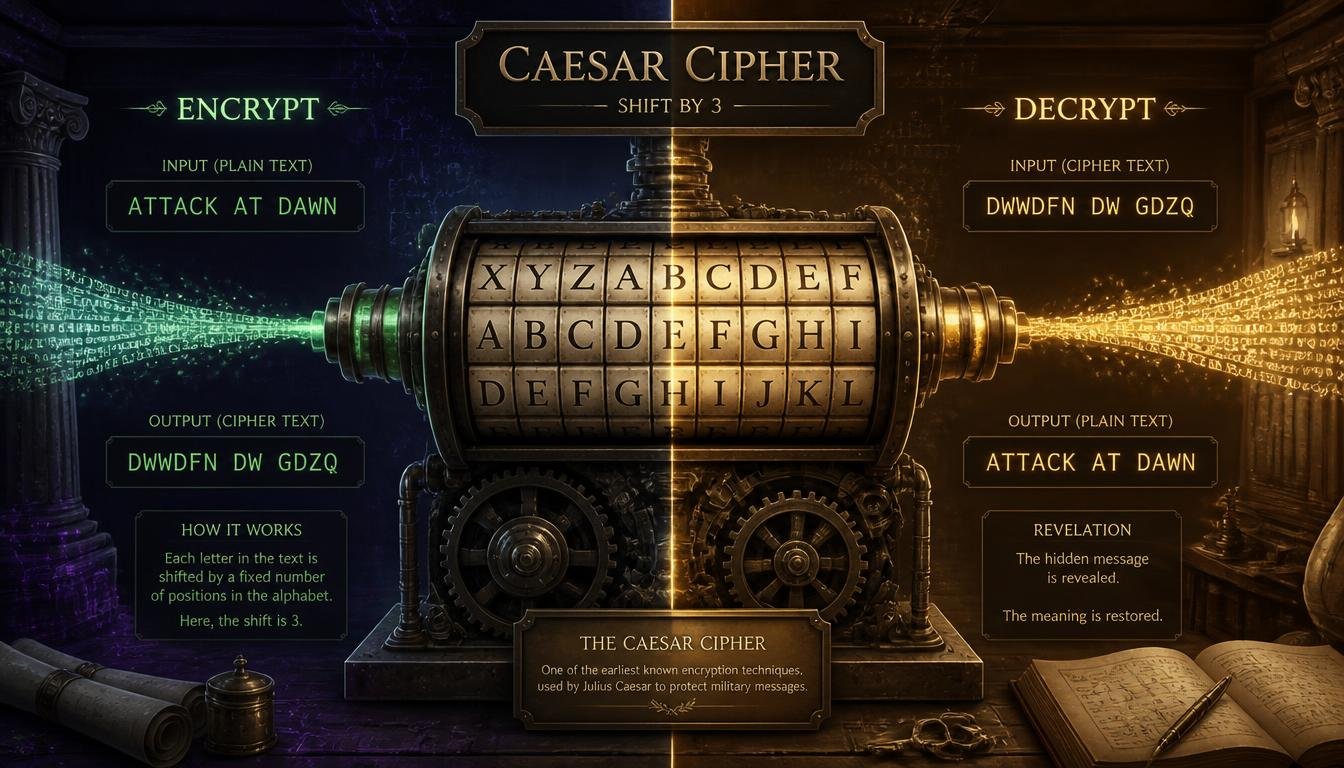
# Text Encryptor / Decryptor (Caesar Cipher): A Simple Way to Transform Text
Keeping information private has always been important.
Today, we share text through websites, applications, emails, messages, documents, and countless other digital platforms. While modern encryption systems can provide strong protection for sensitive information, sometimes you simply want to understand how basic text encryption works.
That's where a Text Encryptor / Decryptor based on the Caesar Cipher can be useful.
The Caesar Cipher is one of the oldest and simplest techniques for transforming text. It replaces each letter with another letter a fixed number of positions away in the alphabet.
For example, if the shift is 3:
A becomes D
B becomes E
C becomes F
and so on.
The same process can be reversed to recover the original message.
A Caesar Cipher tool makes this process quick and easy. You can enter text, select a shift value, encrypt it, and then decrypt it again when you know the correct shift.
## What Is the Caesar Cipher?
The Caesar Cipher is a simple substitution cipher named after Julius Caesar, who is traditionally associated with using a similar technique to protect military communications.
The basic idea is extremely simple.
Each letter in the original message is moved a fixed number of positions through the alphabet.
For example, using a shift of 3:
A → D
B → E
C → F
D → G
E → H
When the alphabet reaches the end, it wraps around to the beginning.
For example:
X → A
Y → B
Z → C
This creates an encrypted version of the original text.
## Simple Example of Caesar Cipher Encryption
Suppose your original message is:
HELLO
Using a shift of 3:
H → K
E → H
L → O
L → O
O → R
The encrypted message becomes:
KHOOR
To decrypt it, you simply move each letter three positions backward:
K → H
H → E
O → L
O → L
R → O
The original message is recovered:
HELLO
This is the basic principle behind a Caesar Cipher.
## What Is a Text Encryptor?
A Text Encryptor using the Caesar Cipher is a tool that transforms ordinary text into a shifted version of the same text.
You provide:
- Your original text
- A shift value
The tool then applies the shift to the letters.
For example:
Original:
HELLO WORLD
Shift:
3
Encrypted:
KHOOR ZRUOG
Depending on the tool's design, spaces, numbers, and punctuation may remain unchanged.
This makes the tool easy to understand and experiment with.
## What Is a Text Decryptor?
A Text Decryptor performs the reverse operation.
If a message was encrypted using a Caesar Cipher with a shift of 3, the decryptor moves each letter backward by 3 positions.
For example:
KHOOR
becomes:
HELLO
The decryptor therefore needs the encrypted message and the correct shift value.
Without knowing the shift, you may need to test different possibilities.
## How Does the Caesar Cipher Work?
The Caesar Cipher works by assigning positions to letters in the alphabet.
For the English alphabet:
A = 0
B = 1
C = 2
D = 3
and so on until:
Z = 25
A shift is then applied to each letter.
For example, if the shift is 5:
A moves to F.
B moves to G.
C moves to H.
The process continues through the alphabet.
When the shift reaches beyond Z, the calculation wraps back around to A.
This is why:
X + 5 = C
Y + 5 = D
Z + 5 = E
The alphabet effectively behaves like a circle.
## Understanding the Shift Value
The shift value determines how far each letter moves.
A shift of 1 means:
A → B
B → C
C → D
A shift of 2 means:
A → C
B → D
C → E
A shift of 10 means every letter moves ten positions forward.
The larger the shift, the different the encrypted text may look.
However, a larger shift doesn't necessarily mean stronger security.
This is one of the most important things to understand about the Caesar Cipher.
## Why Is the Caesar Cipher Not Secure?
The Caesar Cipher is useful for learning and simple text transformation, but it should not be considered secure encryption for protecting sensitive information.
There are only 26 possible shifts in the English alphabet.
That means someone attempting to break the cipher can simply try every possible shift.
This is known as a brute-force approach.
For example, if someone receives an encrypted message and doesn't know the shift, they can test:
Shift 1
Shift 2
Shift 3
Shift 4
and continue until the text becomes readable.
Modern computers can perform this extremely quickly.
Therefore, you should never rely on a Caesar Cipher to protect passwords, financial information, private communications, or other sensitive data.
## Caesar Cipher as an Educational Tool
Although it isn't secure, the Caesar Cipher is excellent for learning.
It introduces important concepts such as:
- Encryption
- Decryption
- Substitution
- Algorithms
- Character transformation
- Key values
- Brute-force attacks
- Cryptography
For beginners, it's much easier to understand than advanced encryption systems.
A simple interactive tool can make these concepts more practical.
Instead of only reading about encryption, users can enter their own text and immediately see how the transformation works.
## Caesar Cipher for Students
Students studying computer science, mathematics, programming, or cybersecurity may encounter substitution ciphers.
A Caesar Cipher tool can help them understand the underlying concept.
For example, a student can enter:
COMPUTER
with a shift of 2.
The result becomes:
E Q O R W V G T
depending on the exact handling and formatting of the tool.
Students can then reverse the process and see how the original message is recovered.
This hands-on approach can make abstract concepts easier to understand.
## Caesar Cipher for Programming Practice
The Caesar Cipher is also a popular beginner programming exercise.
A developer learning a programming language might be asked to create a function that:
1. Reads a string.
2. Identifies each letter.
3. Applies a shift.
4. Wraps letters around the alphabet.
5. Produces the encrypted result.
This exercise teaches several useful programming concepts.
For example:
- Loops
- Conditional statements
- Character manipulation
- String processing
- Modular arithmetic
- Functions
- Input validation
Even though the algorithm is simple, it provides a practical introduction to text processing.
## Caesar Cipher and Modular Arithmetic
The Caesar Cipher can be explained mathematically using modular arithmetic.
If letters are represented by numbers from 0 to 25, encryption can be represented as:
E(x) = (x + k) mod 26
Here:
x represents the original letter.
k represents the shift value.
E(x) represents the encrypted letter.
For decryption:
D(x) = (x - k) mod 26
This mathematical approach is useful for students learning how cryptographic algorithms can be represented using formulas.
The idea of using modulo allows the alphabet to wrap around after Z.
## Preserving Spaces and Punctuation
A practical Caesar Cipher tool usually leaves spaces and punctuation unchanged.
For example:
HELLO, WORLD!
with a shift of 3 could become:
KHOOR, ZRUOG!
The comma, space, and exclamation mark remain in their original positions.
This makes the encrypted message easier to read structurally.
Some tools may also preserve uppercase and lowercase letters separately.
The exact behavior depends on the implementation.
## Uppercase and Lowercase Letters
A well-designed text transformation tool can handle both uppercase and lowercase letters.
For example:
Hello World
with a shift of 3 could become:
Khoor Zruog
The uppercase H becomes uppercase K, while lowercase letters remain lowercase.
This preserves the visual style of the original text.
## Numbers in Caesar Cipher
Numbers generally aren't part of the traditional Caesar Cipher alphabet.
Therefore, many implementations leave numbers unchanged.
For example:
HELLO 123
with a shift of 3 might become:
KHOOR 123
The letters are transformed while the numbers remain the same.
The same may apply to punctuation and special characters.
Always check how your specific tool handles these characters.
## How to Use a Text Encryptor / Decryptor
Using a Caesar Cipher tool is usually very simple.
### Step 1: Enter Your Text
Type or paste your message into the input box.
For example:
HELLO WORLD
### Step 2: Choose a Shift
Select a shift value.
For example:
3
### Step 3: Choose Encrypt or Decrypt
Select whether you want to transform the original text or reverse an existing Caesar Cipher transformation.
### Step 4: Run the Tool
Click the appropriate button.
### Step 5: Review the Result
The tool will display the transformed text.
### Step 6: Copy the Result
Copy the encrypted or decrypted text for your experiment, assignment, or project.
## What Happens When the Shift Is Larger Than 26?
Because the English alphabet contains 26 letters, shifts greater than 26 eventually repeat.
For example:
A shift of 26 produces the same letters.
A shift of 27 is effectively the same as a shift of 1.
A shift of 28 is effectively the same as a shift of 2.
This is another consequence of modular arithmetic.
In practice, many tools automatically normalize large shift values.
## What Happens With a Negative Shift?
A negative shift simply moves letters backward instead of forward.
For example, a shift of -3 means:
D → A
E → B
F → C
This can be another way to think about decryption.
Some tools may allow negative values, while others may use a separate Encrypt and Decrypt option.
## Caesar Cipher and Brute Force
Because there are so few possible shifts, Caesar Cipher messages can be broken relatively easily.
Suppose you receive:
KHOOR
but don't know the shift.
You could try different possibilities.
Shift 1:
J G N N Q
Shift 2:
I F M M P
Shift 3:
H E L L O
Once you see "HELLO," the correct shift becomes obvious.
This is why Caesar Cipher is considered a classical or educational cipher rather than a modern security solution.
## Caesar Cipher vs. Modern Encryption
Modern encryption is dramatically more sophisticated.
Systems designed for real-world security use complex algorithms, large keys, secure key management, authentication mechanisms, and other protections.
Examples include modern cryptographic systems used to protect:
- Online banking
- Secure websites
- Messaging applications
- Password systems
- Financial transactions
- Private communications
A Caesar Cipher doesn't provide comparable security.
Its main value today is educational and recreational.
## When Should You Use a Caesar Cipher?
A Caesar Cipher can be appropriate for:
- Learning cryptography
- Programming exercises
- Classroom activities
- Puzzle games
- Simple word games
- Historical demonstrations
- Understanding substitution ciphers
- Experimenting with text transformation
It should not be used for:
- Password protection
- Financial information
- Private credentials
- Sensitive business data
- Personal confidential information
- Secure communications
For those purposes, use established modern encryption technologies.
## Caesar Cipher for Puzzles and Games
One of the most enjoyable uses of the Caesar Cipher is puzzle solving.
A puzzle creator might hide a message using a shift.
For example:
KHOOR
The player has to discover that the message was created using a Caesar shift and determine the correct key.
This can be used in:
- Escape-room games
- Treasure hunts
- Classroom puzzles
- Online challenges
- Coding games
- Mystery stories
Because the cipher is easy to understand, it works well for beginners.
## Caesar Cipher for Historical Learning
The Caesar Cipher is also useful when studying the history of cryptography.
Long before modern computers, people needed ways to protect information.
Simple substitution techniques were among the early methods used to obscure messages.
Studying these historical approaches helps demonstrate how cryptography developed over time.
From simple letter substitutions to modern cryptographic systems, the field has evolved dramatically.
## Benefits of Using a Caesar Cipher Tool
### Easy to Understand
The algorithm is simple enough for beginners.
### Fast
Text can be transformed instantly.
### Useful for Learning
It introduces fundamental cryptography concepts.
### Helpful for Programming Practice
It provides a straightforward algorithm to implement.
### Great for Puzzles
It can create simple coded messages.
### No Advanced Knowledge Required
You can experiment with it without understanding complex mathematics.
### Useful for Demonstrations
Teachers can show encryption and decryption concepts interactively.
## Common Mistakes When Using a Caesar Cipher
There are several common mistakes beginners make.
### Using the Wrong Shift
If the encryption shift was 5, using 4 during decryption will not recover the original message.
### Forgetting Alphabet Wraparound
After Z, the sequence returns to A.
### Expecting Strong Security
The Caesar Cipher is not suitable for protecting sensitive information.
### Ignoring Character Handling
Different implementations may treat spaces, numbers, and punctuation differently.
### Not Checking the Output
Always verify that the result is what you expected.
## Who Can Use a Caesar Cipher Tool?
This type of tool can be useful for:
- Students
- Teachers
- Beginner programmers
- Developers
- Cybersecurity learners
- Puzzle creators
- Game designers
- Writers
- Researchers
- Cryptography enthusiasts
- Curious learners
Its simplicity makes it accessible to almost anyone.
## Frequently Asked Questions
### What is a Caesar Cipher?
A Caesar Cipher is a substitution cipher that shifts each letter of the alphabet by a fixed number of positions.
### Is Caesar Cipher secure?
No. It is not considered secure for modern communication because the number of possible shifts is very small.
### How do I decrypt a Caesar Cipher?
Use the reverse shift. For example, if the message was encrypted with a shift of 3, move each letter three positions backward.
### What does a shift of 3 mean?
It means every letter moves three positions forward during encryption.
For example:
A → D
B → E
C → F
### Can a Caesar Cipher encrypt spaces?
Traditional Caesar Cipher transformations apply to letters. Spaces are usually left unchanged.
### Can numbers be encrypted?
Numbers are generally left unchanged unless a particular implementation is designed to transform them.
### Can I use Caesar Cipher for passwords?
No. A Caesar Cipher is far too weak for password protection.
### Is Caesar Cipher useful for learning programming?
Yes. It is a popular beginner exercise because it teaches string processing, loops, character manipulation, and modular arithmetic.
### Why is it called the Caesar Cipher?
It is traditionally associated with Julius Caesar, who is described in historical sources as using a similar letter-shifting technique.
## Final Thoughts
The Caesar Cipher may be simple, but it provides an excellent introduction to the fascinating world of cryptography.
With only a shift value and an alphabet, ordinary text can be transformed into something that initially looks mysterious.
That simplicity is exactly what makes the Caesar Cipher valuable for beginners.
You can experiment with different shifts, encrypt your own messages, reverse them, and see how the algorithm works.
For students, it can turn an abstract lesson about cryptography into a practical exercise.
For programmers, it can provide a simple project for learning string manipulation and algorithms.
For puzzle creators, it can add a fun layer of mystery to a challenge.
But it's important to remember the difference between a historical cipher and modern encryption.
The Caesar Cipher is educational, recreational, and useful for experimentation. It is not suitable for protecting confidential information.
If you need to protect passwords, financial details, private communications, or sensitive business information, use modern, well-established security technologies instead.
A good understanding of basic ciphers can be the first step toward learning more advanced cryptography.
Sometimes, understanding how simple encryption works is the best way to appreciate just how much modern digital security has evolved.