
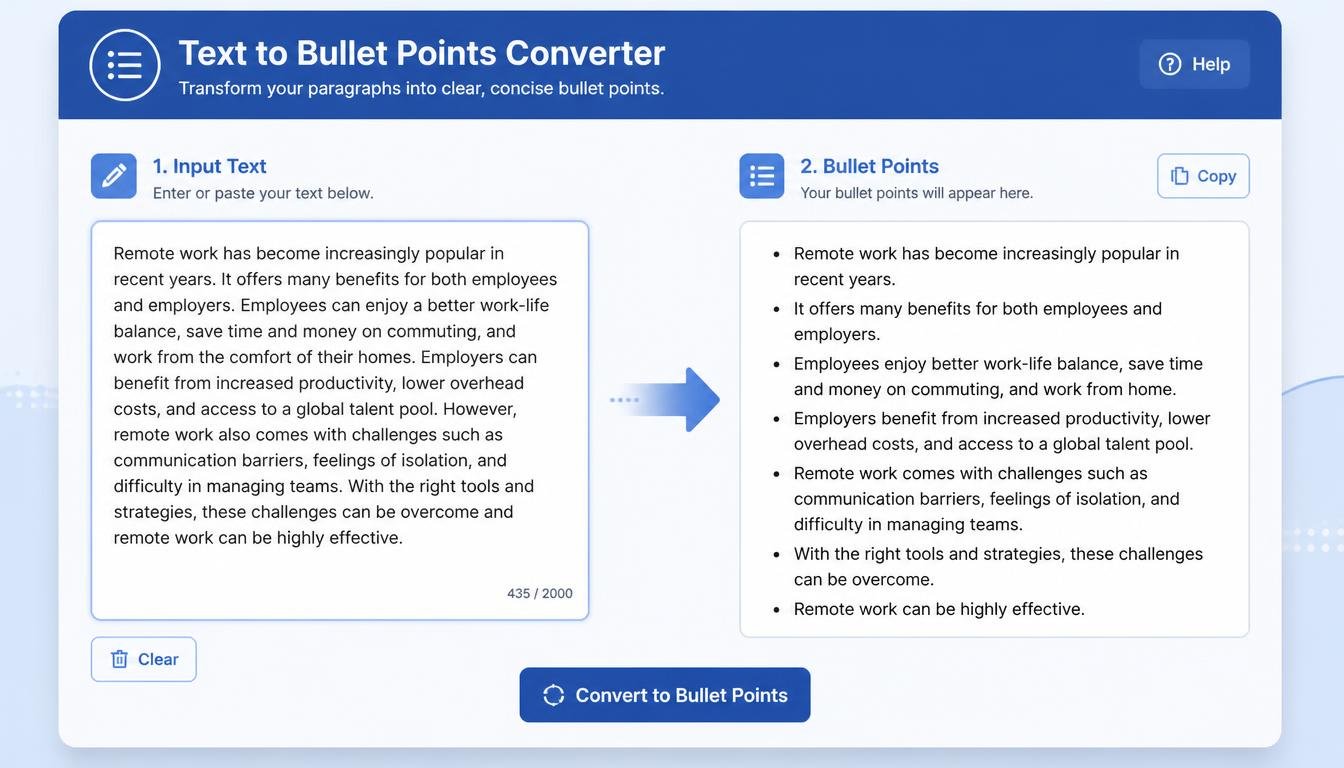
# Text to Bullet Points Converter: Turn Long Text Into Clear, Easy-to-Read Lists
Not every piece of information needs to be presented in a long paragraph.
Sometimes you have a lot to say, but your readers don't have a lot of time to read it.
That's why bullet points are so useful.
Bullet points can turn a large block of text into a clean, organized list that is much easier to scan. Whether you're writing a blog post, preparing a presentation, creating study notes, summarizing information, or working on business content, a Text to Bullet Points Converter can help you organize your ideas quickly.
Instead of manually breaking a long piece of text into individual points, you can use a converter to transform suitable text into a bullet-point format.
The result is often easier to read, easier to understand, and easier to use.
## What Is a Text to Bullet Points Converter?
A Text to Bullet Points Converter is an online text-formatting tool that helps transform ordinary text into a bullet-point list.
For example, you might start with:
"Good content should be clear, useful, original, easy to understand, and relevant to the reader."
A bullet-point version could be:
- Clear
- Useful
- Original
- Easy to understand
- Relevant to the reader
The information hasn't changed. The presentation has.
This simple change can make information much easier to scan.
Depending on the tool, you may be able to convert lines, sentences, or selected pieces of text into bullet points.
## Why Are Bullet Points Useful?
People often don't read online content word by word.
They scan.
When someone opens a webpage, article, email, or document, they usually want to quickly understand what it contains.
Long paragraphs can make that difficult.
Bullet points create visual breaks.
Instead of facing one large block of text, the reader sees individual ideas.
This makes it easier to:
- Find important information
- Understand key points
- Compare items
- Remember details
- Scan a page quickly
- Follow instructions
That's why bullet lists are commonly used in websites, articles, presentations, product descriptions, and educational materials.
## Text to Bullet Points for Bloggers
Bloggers can benefit greatly from bullet-point formatting.
Imagine you have written a paragraph explaining the benefits of a product.
The information might be useful, but readers may have to read the entire paragraph to find each benefit.
Turning the information into a list makes those benefits immediately visible.
For example:
A good writing tool can help you save time, organize ideas, improve readability, reduce repetitive work, and make editing easier.
Can become:
- Save time
- Organize ideas
- Improve readability
- Reduce repetitive work
- Make editing easier
The second version is much easier to scan.
## Bullet Points and Website Readability
Website visitors generally appreciate content that is easy to navigate.
Large walls of text can feel overwhelming, especially on mobile devices.
Bullet points break the page into smaller visual sections.
This doesn't mean every paragraph should become a list.
That would create a different problem.
Instead, use bullet points when you're presenting related items, benefits, features, steps, or key ideas.
Good formatting is about balance.
## Text to Bullet Points for Students
Students often collect large amounts of information.
A textbook chapter, lecture, research paper, or online resource can contain hundreds or thousands of words.
Turning suitable information into bullet points can make study material easier to review.
For example, a paragraph about effective study habits might contain several individual ideas.
These can be organized into:
- Create a study schedule
- Take regular breaks
- Review difficult topics
- Practice with questions
- Keep notes organized
- Avoid distractions
The student can then review the important ideas without rereading the entire paragraph.
However, students should be careful when converting academic material.
A bullet-point summary should preserve the original meaning and shouldn't remove important context when that context is necessary.
## Text to Bullet Points for Presentations
Presentations are another excellent use case.
Slides usually work better when they contain concise information rather than huge blocks of text.
Suppose you have this paragraph:
"Digital marketing includes several important activities, including search engine optimization, social media marketing, email marketing, content creation, and paid advertising."
A presentation-friendly version could be:
- Search engine optimization
- Social media marketing
- Email marketing
- Content creation
- Paid advertising
This makes the slide easier to read while allowing the presenter to explain each point verbally.
## Text to Bullet Points for Business Documents
Businesses regularly create documents containing lists of information.
These may include:
- Product features
- Project requirements
- Meeting notes
- Marketing plans
- Customer benefits
- Business objectives
- Service descriptions
A bullet-point structure can make such documents easier for employees and clients to understand.
Instead of writing everything as paragraphs, important information can be separated into clear points.
## Text to Bullet Points for Meeting Notes
Meeting notes can become messy very quickly.
Someone might write several paragraphs during a meeting and later need to organize the information.
A bullet-point format can make those notes much easier to review.
For example:
Meeting discussion included the upcoming product launch, website improvements, social media campaign, customer feedback, and the timeline for the next project phase.
Could become:
- Upcoming product launch
- Website improvements
- Social media campaign
- Customer feedback
- Next project timeline
This format makes the main topics immediately visible.
## Text to Bullet Points for Content Creators
Content creators constantly collect ideas.
They may have notes scattered across documents, messaging apps, notebooks, and other platforms.
A bullet-point converter can help turn those ideas into an organized list.
For example:
"Create a tutorial about AI writing tools, make a video about SEO, explain how to use a text rewriter, create a comparison article, and publish a beginner's guide."
Can become:
- AI writing tool tutorial
- SEO video
- Text rewriter guide
- Comparison article
- Beginner's guide
Now the ideas are much easier to review and prioritize.
## Text to Bullet Points for Freelancers
Freelancers often receive project requirements from clients in paragraph form.
A client might send a long message describing everything they want.
Instead of keeping the information in one large paragraph, a freelancer can organize the requirements into bullet points.
For example:
- Create five website pages
- Write SEO-friendly content
- Add internal links
- Optimize headings
- Deliver the project by Friday
This can make project requirements much easier to understand.
## Bullet Points for Product Descriptions
Online stores frequently use bullet points to highlight product features.
For example:
- Lightweight design
- Long battery life
- Wireless connectivity
- Fast charging
- Compact size
Customers can quickly scan these points without reading a long paragraph.
A Text to Bullet Points Converter can help transform suitable product information into a cleaner list.
However, product descriptions should always be reviewed carefully to ensure that the bullet points accurately represent the product.
## Text to Bullet Points for SEO Content
Bullet points can improve the structure and readability of many types of web content.
They are particularly useful when explaining:
- Benefits
- Features
- Requirements
- Tips
- Examples
- Tools
- Advantages
- Common mistakes
Search engine optimization isn't simply about adding bullet points, though.
There is no guarantee that converting text into bullets will automatically improve rankings.
The main purpose is to make useful information easier for readers to understand.
Better readability can contribute to a better overall user experience.
## How Does a Text to Bullet Points Converter Work?
The basic process is straightforward.
The tool takes your existing text and identifies separate pieces of information.
Depending on its design, it may use:
- Line breaks
- Sentences
- Paragraphs
- Delimiters
- Manual selections
to determine where one point ends and another begins.
The tool then places the selected items into a bullet-point format.
For example:
Input:
Apples are popular fruits.
Bananas are naturally sweet.
Oranges contain vitamin C.
Output:
- Apples are popular fruits.
- Bananas are naturally sweet.
- Oranges contain vitamin C.
The exact behavior depends on the tool.
## How to Use a Text to Bullet Points Converter
Using the tool is usually simple.
### Step 1: Prepare Your Text
Write or collect the information you want to convert.
### Step 2: Copy Your Text
Select the relevant paragraph, list, or notes.
### Step 3: Paste It Into the Tool
Place the content into the input box.
### Step 4: Convert the Text
Run the conversion process.
### Step 5: Review the Bullet Points
Check that each bullet represents a complete and useful idea.
### Step 6: Edit if Necessary
You may want to shorten some points or combine related ideas.
### Step 7: Copy the Final Result
Use the bullet list in your article, document, presentation, notes, or website.
## Don't Turn Every Paragraph Into Bullets
This is one of the most important things to remember.
Bullet points are useful, but they aren't appropriate everywhere.
Imagine reading an entire article where every sentence is presented as a bullet.
It would quickly become tiring.
Paragraphs are still valuable when you need to explain an idea in detail.
Use bullet points when information naturally fits into a list.
For example:
"Here are five benefits of the tool:"
- Saves time
- Easy to use
- Improves organization
- Reduces repetitive work
- Works with large amounts of text
That's a natural use of bullets.
## Bullet Points vs. Numbered Lists
Bullet points and numbered lists serve different purposes.
Bullet points are useful when the order of the information doesn't matter.
For example:
- Apples
- Bananas
- Oranges
A numbered list is better when the sequence matters.
For example:
1. Open the tool.
2. Paste your text.
3. Select the desired option.
4. Generate the result.
5. Copy the output.
If the reader needs to follow the steps in order, numbers are usually better.
## Creating Better Bullet Points
Simply converting text isn't always enough.
Good bullet points should be clear and focused.
Instead of:
- This tool can be useful for people who want to organize their text more efficiently and save time during the editing process.
You might write:
- Organize text faster
- Save editing time
Shorter points are generally easier to scan.
However, don't remove important information just to make a bullet shorter.
Clarity should come first.
## Keep Bullet Points Consistent
Consistency makes lists easier to read.
For example:
- Save time
- Improve organization
- Reduce repetitive work
- Simplify editing
These points follow a similar structure.
Compare that with:
- Save time
- Organization of your content can be improved
- You can reduce repetitive tasks
- Editing becomes easier when using the tool
The second list isn't necessarily wrong, but the structure is less consistent.
When editing bullet points, try to keep their length and grammatical style reasonably similar.
## Text to Bullet Points for Email
Business emails sometimes contain too much information.
If you're explaining several separate items, bullet points can make the message easier to understand.
For example:
"Please send the invoice, confirm the delivery address, provide the updated product list, and let us know when the project will be completed."
Could become:
Please provide:
- The invoice
- Confirmed delivery address
- Updated product list
- Expected project completion date
The recipient can quickly see what is required.
## Bullet Points for FAQs
Website FAQ pages can also benefit from structured lists.
Suppose an answer contains several requirements.
Instead of placing them in one paragraph, you can present them as:
To use the service, you may need:
- An active account
- A valid email address
- Internet access
- The required input information
This makes the answer easier to scan.
## Bullet Points and Mobile Users
Mobile screens are smaller than desktop screens.
Long paragraphs can therefore feel especially dense on mobile devices.
Short sections and bullet lists create more visual breathing room.
This is one reason many modern websites use lists alongside paragraphs.
The goal isn't to remove written explanations.
It's to present information in a way that works well across different screen sizes.
## Benefits of Using a Text to Bullet Points Converter
A Text to Bullet Points Converter can offer several practical benefits.
### Saves Time
It reduces the need to manually format every line.
### Improves Readability
Information becomes easier to scan.
### Organizes Ideas
Separate points become visually distinct.
### Helps With Presentations
Long text can be turned into slide-friendly information.
### Useful for Study Notes
Students can turn suitable information into quick-review lists.
### Supports Content Creation
Bloggers and creators can organize ideas faster.
### Simplifies Business Documents
Important requirements and features can be displayed clearly.
### Reduces Repetitive Formatting
The tool handles the basic conversion automatically.
## Who Should Use a Text to Bullet Points Converter?
The tool can be useful for:
- Students
- Bloggers
- Freelance writers
- Teachers
- Marketers
- SEO professionals
- Business owners
- Content creators
- Researchers
- Developers
- Website administrators
- Online store owners
Anyone who frequently turns paragraphs or notes into lists can benefit from it.
## Frequently Asked Questions
### What is a Text to Bullet Points Converter?
It is a tool that transforms suitable text into an organized bullet-point list.
### Can I convert a paragraph into bullet points?
Yes, depending on the tool's conversion method. You should review the result to make sure each bullet represents a complete idea.
### Are bullet points good for blog posts?
Yes. Bullet points can make lists of features, benefits, tips, examples, and other information easier to scan.
### Can students use this tool?
Yes. Students can use it to organize notes, study material, and suitable parts of research content.
### Can I use bullet points in presentations?
Absolutely. Bullet points are commonly used on presentation slides to display key information.
### Do bullet points improve SEO?
Bullet points can improve readability and user experience, but simply adding bullet points does not guarantee higher search rankings.
### Should every sentence be a bullet point?
No. Use bullets when information naturally forms a list. Detailed explanations are usually better presented as normal paragraphs.
## Final Thoughts
Good writing isn't only about choosing the right words.
It's also about presenting those words in a way that people can understand easily.
A long paragraph may contain excellent information, but if readers struggle to scan it, they may miss the most important points.
Bullet points solve part of that problem.
They create structure, separate ideas, and make information easier to process.
A Text to Bullet Points Converter makes the formatting process even easier by handling the repetitive work for you.
Whether you're turning study notes into a quick revision list, preparing a presentation, organizing a client's requirements, creating a product description, or improving the structure of a blog post, the tool can save time and make your content more organized.
Just remember that automation should support your writing, not replace your judgment.
After converting your text, read through the bullet points.
Make sure they are accurate.
Remove unnecessary repetition.
Combine points that belong together.
Shorten overly complicated sentences where appropriate.
And most importantly, make sure the final list still communicates the original idea.
When used thoughtfully, bullet points can turn complicated information into something much simpler.
Sometimes, a wall of text doesn't need more words.
It simply needs better organization.