
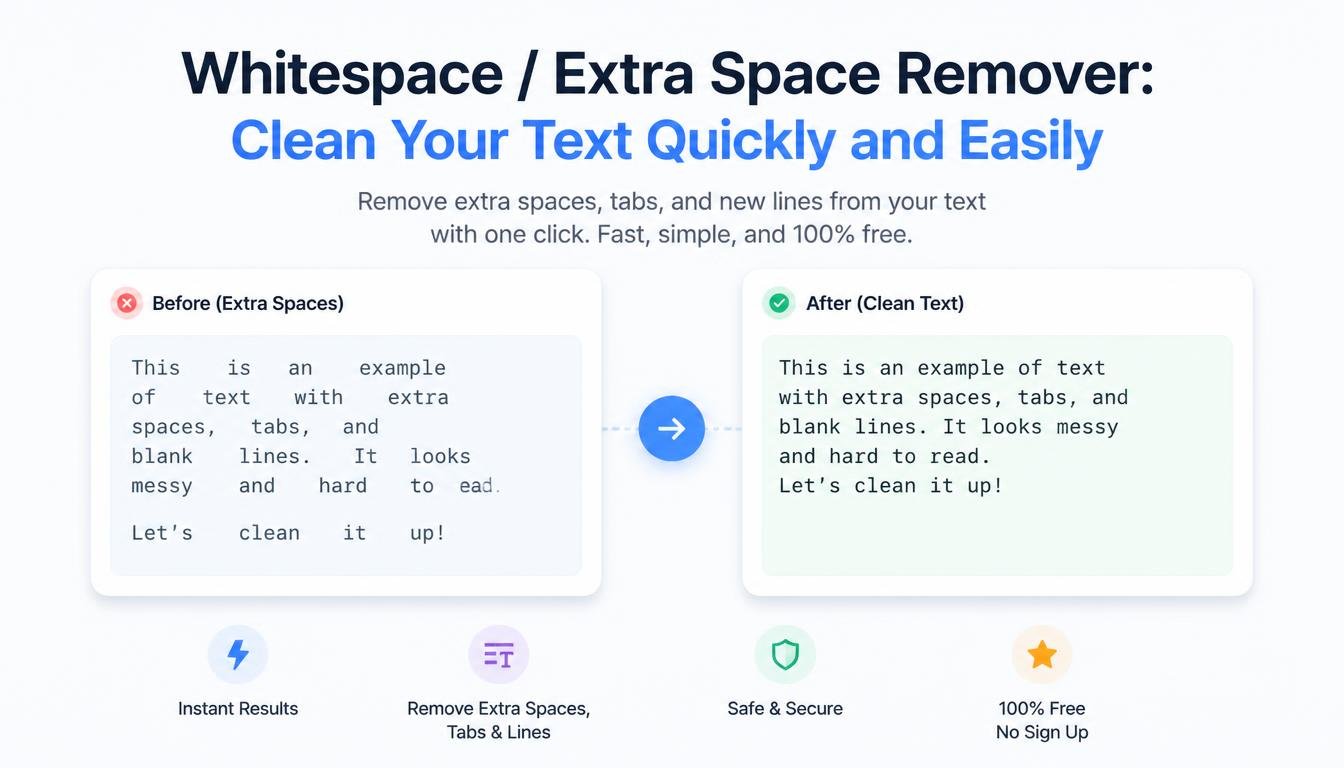
# Whitespace / Extra Space Remover: Clean Your Text Quickly and Easily
Clean formatting can make a big difference in how text looks and works.
You may have copied content from a website, PDF, Word document, spreadsheet, email, or another application and suddenly noticed that the text contains too many spaces. There may be several spaces between words, unnecessary blank lines, spaces at the beginning or end of lines, or inconsistent formatting throughout the document.
Fixing these problems manually can be frustrating, especially when you're working with hundreds or thousands of words.
That's where a Whitespace / Extra Space Remover can help.
A Whitespace / Extra Space Remover is a simple online text-cleaning tool that helps remove unnecessary spaces and whitespace from your content. Instead of searching through your text line by line, you can paste the content into the tool and clean common spacing problems quickly.
For students, writers, bloggers, developers, freelancers, marketers, researchers, and website owners, this can be a useful little tool for everyday text cleanup.
## What Is Whitespace?
Whitespace is a general term used for spaces and other invisible formatting characters that separate or structure text.
The most familiar example is the normal space between two words.
For example:
"Hello world"
There is whitespace between "Hello" and "world."
But whitespace can also include things such as:
- Spaces
- Tabs
- Line breaks
- Blank lines
- Other invisible spacing characters
Whitespace is not always bad.
In fact, it's necessary for readable and properly structured text.
The problem occurs when unnecessary whitespace appears in your content.
## What Is an Extra Space Remover?
An Extra Space Remover is a tool that identifies unnecessary spaces and removes or reduces them according to its settings.
For example, imagine you have:
"Welcome to our website."
A cleanup tool may turn it into:
"Welcome to our website."
The words remain exactly the same.
Only the unnecessary spacing is removed.
This is useful because excessive spaces can make text look messy and can sometimes create problems when moving information between different applications.
## Why Do Extra Spaces Appear?
Extra spaces can appear for many different reasons.
Copying and pasting is one of the most common.
When you copy text from a website or document, hidden formatting may come with it.
Other common causes include:
- Manual typing mistakes
- Copying from PDFs
- Spreadsheet exports
- OCR software
- Converting documents
- Combining multiple files
- Formatting mistakes
- Text generated by different applications
For a small paragraph, fixing these problems manually is easy.
For a long document, it can become a tedious job.
## Why Clean Whitespace?
Whitespace may seem like a minor formatting issue, but clean text is easier to work with.
Removing unnecessary whitespace can help make content:
- Easier to read
- More consistent
- Easier to edit
- Easier to copy
- Easier to process
- Easier to import into other tools
If you're preparing text for a website, spreadsheet, database, or software application, consistent formatting can also make the next step easier.
## Whitespace Remover for Students
Students regularly copy information from different sources.
A research project might involve information from websites, books, PDFs, lecture notes, and online documents.
Each source can have different formatting.
After combining everything, the final document may contain inconsistent spacing.
For example:
"This is an example."
"This is another example."
A Whitespace Remover can help standardize the text.
This can be particularly useful before preparing notes, study guides, assignments, or presentations.
However, students should always review the cleaned text afterward, especially if the original formatting carries meaning.
## Whitespace Remover for Bloggers
Bloggers often copy notes, outlines, research material, and draft content from different sources.
Over time, unnecessary spaces can find their way into an article.
For example:
"Writing high-quality content takes time."
A cleanup tool can convert it into:
"Writing high-quality content takes time."
This creates a cleaner reading experience.
Before publishing an article, it's a good idea to review spacing along with grammar, spelling, headings, links, and overall formatting.
## Whitespace Remover for Freelance Writers
Freelance writers often receive text from clients.
A client may send information copied from several documents.
Some sections might contain normal spaces while others contain multiple spaces or unexpected blank lines.
Instead of spending time correcting every line manually, a writer can use a whitespace-cleaning tool as part of the editing process.
This is especially useful when working with large content files.
The writer can clean the basic formatting first and then focus on the more important parts of the project.
## Whitespace Remover for SEO Professionals
SEO professionals often work with large keyword lists and website data.
For example, a keyword list might contain:
"AI writing tool"
"AI writing tool"
"free text rewriter"
"free text rewriter"
If the extra spaces aren't meaningful, cleaning the list can make it easier to analyze.
Whitespace removal can also be useful when preparing URLs, search terms, titles, or other text-based data.
However, removing spaces should be done carefully.
In some datasets, whitespace may have meaning, so always understand the structure of the data before cleaning it.
## Whitespace Remover for Developers
Developers work with text constantly.
They may process:
- CSV data
- Logs
- JSON
- Plain text
- User input
- Lists
- Configuration files
- Database exports
Unexpected whitespace can sometimes cause problems.
For example, a value containing an invisible trailing space may not match the same value without that space.
Consider:
"username"
and:
"username "
They look almost identical, but technically they are different strings.
This is one reason developers often use trimming and whitespace-normalization techniques in code.
An online Whitespace Remover can be useful for quick manual inspection and simple text cleanup.
However, developers should never blindly clean source code or structured data without understanding what the whitespace represents.
## Leading and Trailing Spaces
There are different types of unnecessary spaces.
Leading spaces appear before the actual text.
For example:
" Hello world"
Trailing spaces appear after the text.
For example:
"Hello world "
These spaces may not be visible in a normal document, but they still exist in the underlying text.
A cleanup tool can remove them.
This process is commonly called trimming.
## Multiple Spaces Between Words
Another common problem is having several spaces between words.
For example:
"Welcome to our website."
This may happen accidentally while typing or when copying text.
A whitespace cleaner can reduce the repeated spaces to a single normal space:
"Welcome to our website."
This is one of the simplest and most useful forms of text cleanup.
## Extra Blank Lines
Sometimes a document contains too many empty lines.
For example:
First paragraph.
Second paragraph.
Third paragraph.
The extra blank lines can make the document look unnecessarily large.
Depending on the tool's options, a whitespace cleaner may remove or reduce these blank lines.
This can make plain-text content more compact and easier to manage.
However, paragraph spacing can sometimes be intentional, so review the result before publishing.
## Tabs and Whitespace
Tabs are another form of whitespace.
They are commonly used in documents and programming environments to create indentation.
For example, code may use tabs or spaces to visually structure blocks.
In ordinary text, however, tabs may appear unexpectedly after copying information from another application.
A whitespace-cleaning tool may normalize or remove such characters.
Again, context matters.
Removing indentation from source code could damage its readability or, in some languages and situations, even affect how the code is interpreted.
## Whitespace and Copy-Paste Problems
Copying content between applications doesn't always preserve formatting perfectly.
You may copy text from:
- Microsoft Word
- Google Docs
- PDF files
- Websites
- Emails
- Spreadsheets
- Online forms
and paste it somewhere else.
The result may contain strange spaces or line breaks.
A Whitespace / Extra Space Remover provides a quick way to clean the plain-text version.
This is particularly helpful when the visual formatting from the original source isn't needed.
## Whitespace Remover for Email Content
Emails sometimes contain unnecessary spacing, especially when content has been copied from another document.
For example:
"Hello,
Thank you for contacting us."
Depending on the desired formatting, you may want to reduce unnecessary blank lines.
A whitespace cleaner can help prepare the text before sending it.
However, email formatting can depend on HTML and other structures, so a plain-text cleaner may not preserve the exact visual layout of an HTML email.
## Whitespace Remover for Data Entry
People working with simple text datasets often need consistent formatting.
Suppose you have a list of cities:
"London"
" Paris"
"Dhaka "
"New York"
The leading or trailing spaces aren't meaningful.
Cleaning the list can turn it into:
"London"
"Paris"
"Dhaka"
"New York"
This makes the values more consistent.
For larger datasets, dedicated data-cleaning software or programming scripts may be more appropriate, but an online tool is convenient for quick tasks.
## Whitespace and Duplicate Data
Whitespace problems can sometimes make duplicate entries look different to a computer.
Consider:
"Apple"
"Apple "
To a person, these appear identical.
To a computer, they may be different strings because one contains a trailing space.
This can cause problems when checking for duplicates.
One useful workflow is:
Clean Whitespace → Standardize Case → Remove Duplicates
For example, a list can first be trimmed, then converted to a consistent case, and finally checked for duplicate entries.
This can produce a much cleaner list.
## Whitespace Remover for Spreadsheets
Spreadsheet data often contains hidden spaces.
Imagine a column containing customer names:
John Smith
John Smith
John Smith
Visually, they may look the same.
But hidden spaces can interfere with searching, filtering, matching, or duplicate detection.
A text-cleaning tool can help when you're working with a small amount of copied data.
For large spreadsheets, spreadsheet functions and dedicated data-cleaning features are generally better suited to the task.
## Whitespace and Programming
Whitespace has a special role in programming.
In some languages, indentation is primarily a readability convention.
In others, such as Python, indentation is part of the language's syntax.
This means you should never blindly remove whitespace from programming code.
A tool designed for ordinary text cleanup may not understand the structure of your code.
If you're cleaning source code, use your programming editor, formatter, or language-specific tools instead.
## How to Use a Whitespace Remover
Using a Whitespace / Extra Space Remover is usually very simple.
### Step 1: Prepare Your Text
Copy the content you want to clean.
### Step 2: Paste the Text
Place it into the tool's input box.
### Step 3: Choose the Cleanup Options
If available, select the type of whitespace you want to remove.
Options may include:
- Extra spaces
- Leading spaces
- Trailing spaces
- Blank lines
- Tabs
- Repeated whitespace
### Step 4: Run the Tool
Allow the tool to process your text.
### Step 5: Review the Result
Check that the content still has the formatting you need.
### Step 6: Copy the Clean Text
Once you're satisfied, copy the result and paste it into your document, website, spreadsheet, or other application.
## Tips for Cleaning Text Safely
Automatic cleanup is convenient, but don't assume every space is unnecessary.
Some spacing may have a purpose.
For example:
- Code indentation
- Tables
- Formatted lists
- Poetry
- Special document layouts
- Structured data
Before cleaning, think about whether whitespace carries meaning.
If the text is ordinary prose, removing accidental extra spaces is usually straightforward.
If it's structured content, review the result carefully.
## Benefits of Using a Whitespace / Extra Space Remover
A whitespace-cleaning tool can provide several benefits.
### Saves Time
Large blocks of text can be cleaned quickly.
### Improves Readability
Removing unnecessary spaces makes ordinary text look more consistent.
### Helps Data Preparation
Clean text is easier to copy and process.
### Reduces Manual Editing
You don't have to search for every repeated space yourself.
### Helps With Duplicate Detection
Consistent whitespace can make identical entries easier to identify.
### Useful for Content Creation
Bloggers and writers can clean drafts before publishing.
### Easy to Use
Most users don't need technical knowledge.
## Who Should Use a Whitespace Remover?
The tool can be useful for:
- Students
- Bloggers
- Writers
- Freelancers
- Developers
- SEO professionals
- Researchers
- Marketers
- Content creators
- Website owners
- Data-entry professionals
Anyone who regularly works with plain text can find situations where whitespace cleanup is helpful.
## Frequently Asked Questions
### What does a Whitespace Remover do?
It removes unnecessary spaces and other whitespace from text according to the tool's settings.
### Can it remove multiple spaces between words?
Yes. A whitespace-cleaning tool can reduce repeated spaces between words to a normal spacing pattern.
### Can it remove spaces at the beginning and end of a line?
Yes, if the tool supports trimming or leading and trailing space removal.
### Can it remove blank lines?
Many whitespace-cleaning tools can remove or reduce unnecessary blank lines.
### Can I use it for copied PDF text?
Yes. It can be useful for cleaning plain text copied from PDFs, although PDF extraction can sometimes produce unusual formatting that requires additional editing.
### Should I use a whitespace remover on source code?
Be careful. Programming code can depend on whitespace and indentation. Use language-specific formatting tools when working with source code.
### Can removing whitespace help with duplicate lines?
Yes. If two lines differ only because one contains extra spaces, cleaning the whitespace first can make duplicate detection more reliable.
## Final Thoughts
Whitespace is easy to overlook because most of it is invisible.
You may not notice a trailing space at the end of a line.
You may not notice three spaces between two words.
You may not realize that a copied document contains dozens of unnecessary blank lines.
But when these small formatting problems accumulate, they can make your text harder to manage.
A Whitespace / Extra Space Remover gives you a quick way to clean those problems.
Paste your content, remove unnecessary whitespace, review the result, and continue with your work.
It's a small step, but it can make text cleaner, more consistent, and easier to process.
The most important thing is to remember that whitespace isn't always unnecessary.
In normal paragraphs, accidental extra spaces are usually safe to remove.
In code, structured data, tables, and specially formatted documents, whitespace may have a purpose.
Use the tool where it makes sense, and always give the final result a quick human review.
Good text doesn't only depend on the words you choose.
Sometimes, even the spaces between those words matter.